Google Street View indoor cycling
Indoor Cycling With Google Street View
Ride a road you know, preview a climb, or explore somewhere new. VirtualRide connects your Bluetooth smart trainer to Google Street View so the road advances with your effort.
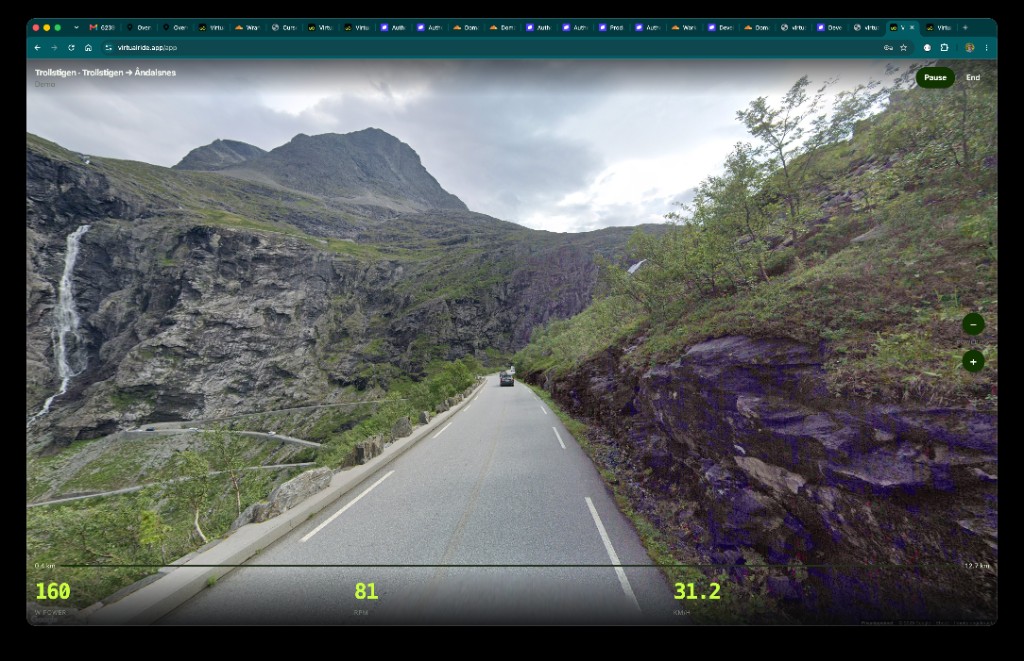
What makes Street View riding different?
Virtual worlds are designed courses. Video apps offer roads someone chose to film. Street View riding starts with a place: enter two points on a covered road and make that road your indoor session. It is useful for route reconnaissance, familiar roads, and low-pressure exploration.
Street View is panoramic imagery, not continuous ride video. Coverage and image age vary. Junctions and dense cities can jump; long quiet roads and mountain passes usually feel most natural.
What you need
- Bike and compatible Bluetooth smart trainer.
- Device with a supported Bluetooth connection.
- Internet connection for maps and Street View imagery.
Connect trainer, pick a quick start or choose your own A-to-B route, then pedal. Try the demo first if you want to inspect interface without trainer.