Five-step setup
How to Cycle Google Street View
Turn smart trainer session into ride on real road. Setup takes bike, compatible trainer, Bluetooth, and Street View coverage.
- Prepare trainer.Mount bike, power trainer, and pedal briefly to wake it.
- Enable Bluetooth.Keep device close and disconnect trainer from other cycling apps.
- Connect.In VirtualRide, choose KICKR or compatible trainer and confirm connected status.
- Choose route.Select quick start or enter start and finish on map. Check Street View coverage.
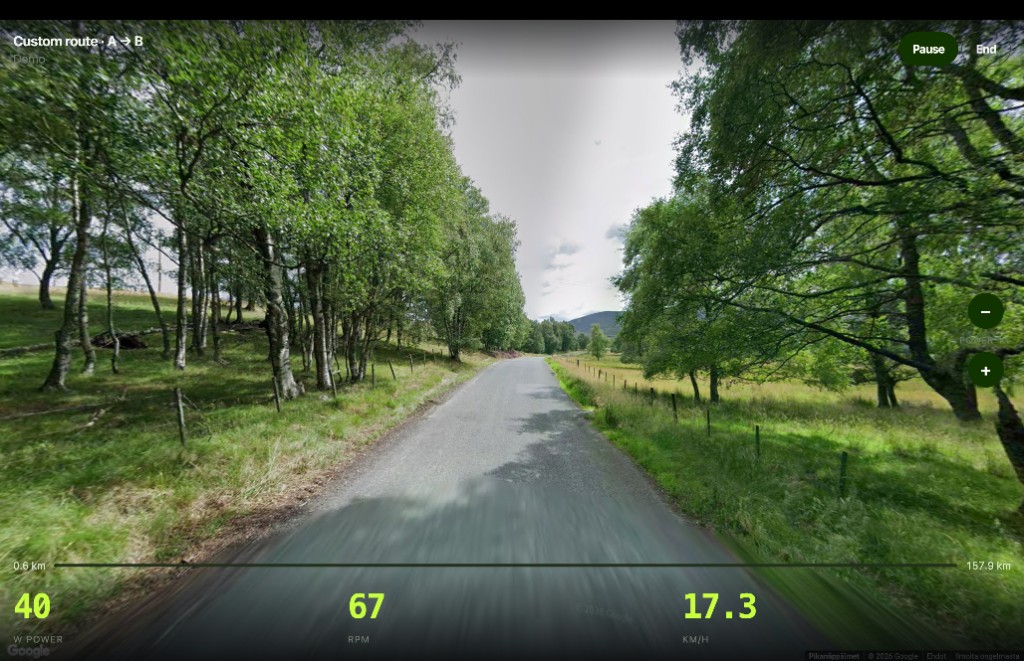
- Ride.Start session. Trainer output sets forward pace; power, cadence, and speed remain visible.
Make first ride smoother
Start with quiet road or provided quick start. Dense junctions create more imagery jumps. If route has a coverage gap, move start or finish to nearby covered road. Use demo to inspect interface before pairing trainer.
Web access is available now. iPhone app is coming soon and remains in App Store review.