Guide · indoor cycling

Ride your neighborhood (or race course) indoors

Indoor season does not have to be Watopia. You can recce next month’s sportive, ride the street you grew up on, or do your commute from the garage.

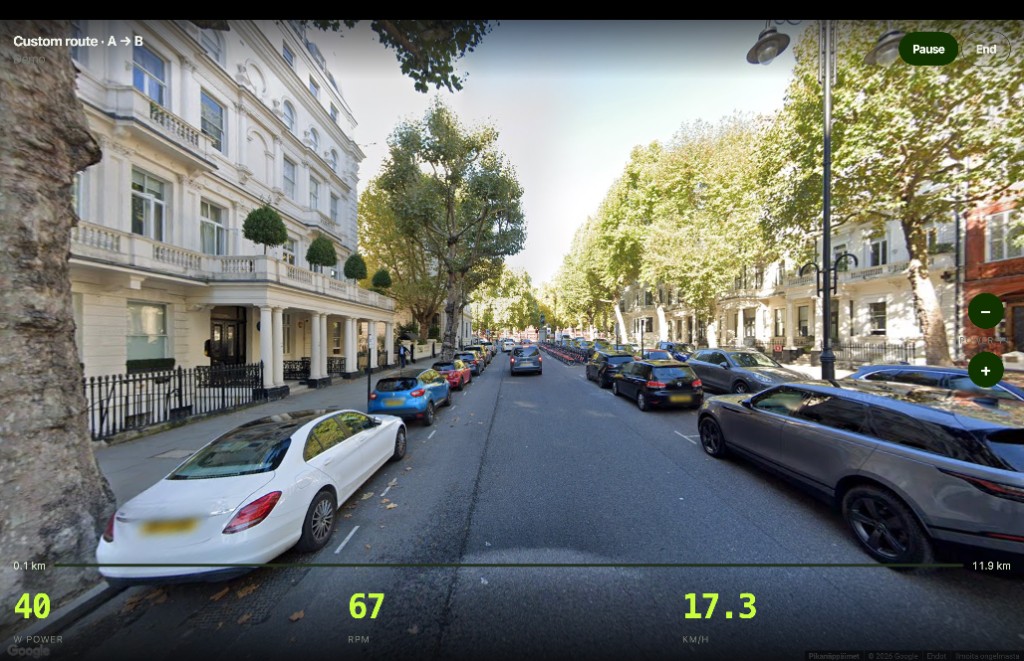
VirtualRide uses Google Street View. Type a start and a finish, or tap two points on the map. Connect a Wahoo KICKR or any Bluetooth smart trainer in Chrome. Pedal harder, the road moves faster. $9/month.

Indoor cycling on a residential street in Google Street View with trainer power, cadence, and speed
Your street, not a cartoon island.
Start riding · $9/month Home

What people actually use this for

Indoor cycling a city commute in Google Street View
Winter commute. Same roads. No ice.

How to pick a route

  1. Open virtualride.app in Chrome on a computer (or Android).
  2. Type two places, or click the map: start (A), then finish (B).
  3. Connect the trainer, or use Demo without trainer to preview the road first.
  4. Ride.

Coverage follows Google. Some remote roads have no Street View. Cities can look jumpy. Quiet roads and mountain passes are the sweet spot.

VirtualRide map: type start and finish to ride any neighborhood or race course
Type two places, or tap A then B on the map.

Limits to know

Chrome only for a live trainer. iPhone Safari will not connect. Members only at $9/month; cancel anytime.

Start at virtualride.app

Also: Ride Google Street View on a smart trainer (Chrome) · Zwift vs real streets